Auto Clicker for CS:GO Adjustable CPS
& Controlled Click Automation

Improve click stability, reduce manual strain, and control repetitive input with a lightweight auto clicker designed for CS:GO practice environments.

Auto Clicker for CS:GO allows players to configure click speed (CPS), interval timing, and activation keys without modifying game files or system components.

Free

Lightweight

No registration

No Game File Modification

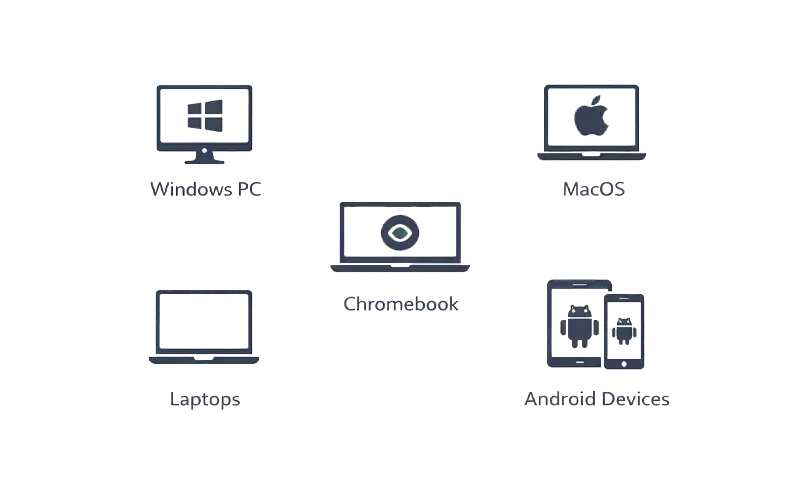
Supported Systems

Use Mouse clicker for CS:GO on:

Stable performance across supported environments.

How to Use in Counter-Strike: Global Offensive

01

Download the application for your device.

02

Launch & set your preferred CPS and hotkey.

03

Activate during practice and stop instantly when finished.

Features of Auto Clicker for CS:GO

Feature

Description

CS: GO-Focused Automation

Supports controlled repetitive clicking during practice and input testing scenarios.

Multi-Platform Support

Works on Windows PC and macOS systems.

Adjustable Click Speed

Customize clicks-per-second (CPS) from slow to high-speed intervals.

No Installation Required

Portable application with no setup or background services.

Safe and Secure

No malware, no modification of CS:GO game files.

Lightweight & Efficient

Minimal CPU and memory usage for smooth performance.

No Ads or Bundled Software

Clean experience with no third-party software.

User-Controlled Automation

Start and stop automation instantly with a hotkey — no account required.

Safe for Your System CS: GO

No malware

No hidden execution

No system file changes

Runs only while open

Full manual control over activation

Download Auto Clicker for CS:GO

Start controlled auto-clicking in seconds.